

Best AI Code Editors for Python Beginners in 2026
I was sitting in a coffee shop yesterday trying to debug a Python script, and I realized I wasn’t actually stuck because of Python—I was stuck because I didn’t have the right assistant sitting “next to” me on my screen.
Remember last week when we built that AI Agent together? Today, let’s talk about the best AI code editors that works for you.
In 2024, we had “chatbots” that lived in a browser tab. You had to copy-paste code back and forth. It was tedious.
But as we head into 2026, the game has changed. We now have AI Code Editors that live right inside your workflow, understanding your entire project folder, fixing bugs across multiple files, and even writing entire Python scripts for you.
If you are still just typing print("hello world") by hand, you are doing it the hard way. Here is the LogicPy breakdown of the Big 3 AI Assistants you need to know about.
1. GitHub Copilot: The “Standard” Choice ✈️

If you are a student or work at a big company, you likely already have access to GitHub Copilot. It is the OG (Original Gangster) of AI coding.
Why it’s good for beginners:
- Ubiquity: It lives inside VS Code as a simple extension.
- The “Ghost Text”: It predicts your next line of code before you even type it. For learning Python syntax, this is incredibly helpful.
- Free for Students: If you have a .edu email address, you get this completely free.
The Downside: It sometimes feels like a “plugin” rather than a true partner. It sees the file you are working on, but it might not understand that one obscure `config.py` file you hid three folders deep.
2. Cursor: The “Power Move” 🖱️
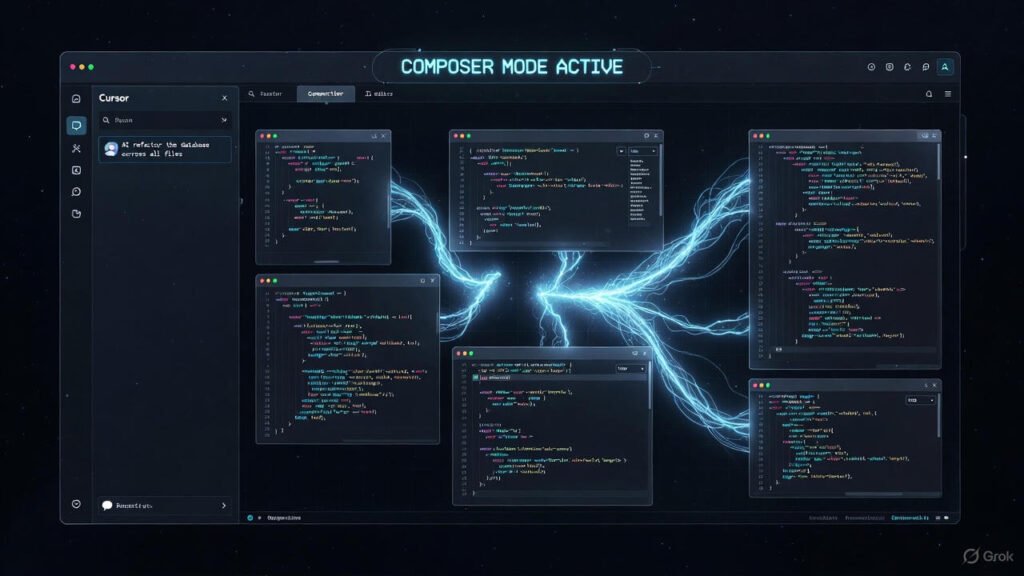
If Copilot is a plugin, Cursor is a revolution. It is a fork of VS Code (so it looks and feels exactly the same), but with AI baked into its DNA.
The killer feature here is “Composer” (Cmd+I).
Instead of just asking for code, you can say: “Review my entire project and add a ‘Dark Mode’ toggle to the frontend.” Cursor will scan every file, plan the changes, and apply them across multiple files at once.
Why it’s winning in 2026:
- Context Awareness: It knows your whole codebase.
- Tab Auto-Correct: It doesn’t just suggest code; it predicts where your cursor wants to go next.
- Privacy Mode: It has a strict “Privacy Mode” where your code is not stored on their servers.
3. Windsurf (by Codeium): The New Challenger 🏄♂️

Just when we thought Cursor had won the war, Codeium launched Windsurf. This is a brand-new editor designed to keep you in the “Flow.”
Windsurf introduces something called “Cascade.” It is a deep awareness of what you are doing. If you are writing a Python script and you get an error in your terminal, Windsurf sees the error and offers to fix it immediately—without you even having to copy-paste the error message!
LogicPy Verdict:
Windsurf feels incredibly fast and “snappy.” For Python developers who hate lag, this is a top contender.
The “Free” Strategy (For the Hackers) 💸
“But wait,” I hear you ask. “I don’t want to pay $20/month!”
Good news. You don’t have to. There is a way to get a powerful AI assistant for $0.
The Secret Combo: VS Code + Continue.dev + Ollama
There is an open-source extension called Continue. It lets you connect any AI model to your editor.
If you pair this with Ollama (a tool to run AI on your own laptop), you can have a private, free, and offline coding assistant. It requires a bit more setup, but it makes you feel like a true tech wizard.
(Spoiler Alert: We are going to write a full tutorial on how to set up Ollama and run Llama 3 locally next week! Stay tuned.)
Final Verdict: Which One Should You Pick?
| Best For… | Our Pick 🏆 | Why? |
|---|---|---|
| Students / Enterprise | GitHub Copilot | It’s likely free for you or paid by your boss. |
| Power Users | Cursor | The “Composer” feature is unmatched for building fast. |
| Speed Freaks | Windsurf | It’s fast, fluid, and the “Flow” state is real. |
| Free / Privacy | Continue + Ollama | $0 cost and your code never leaves your laptop. |
Your Homework 📝
Pick one of these tools today. Install the free trial. Then, try to rewrite the Weather Agent from our last post using only the AI’s help.
You will be shocked at how much faster you learn.