
🚀 Quick Overview
- The Goal: Track the price of a product and alert when it drops.
- The Tool: BeautifulSoup4 (The Easiest Scraping Library).
- The Freelance Angle: Companies pay heavily for “Competitor Price Monitoring.”
- Difficulty: Beginner.
In this tutorial, you will learn how to build a Python script that monitors websites for price changes, a skill that is the foundation of many freelance data jobs.
Have you ever wanted to buy something but waited for a sale? Instead of refreshing the page every day, you can write a Python script to do it for you. This is called Web Scraping.
To keep this tutorial safe and reliable, we will not scrape Amazon (which is hard and blocks scripts). Instead, we will use Books to Scrape, a dummy website built specifically for developers to practice this skill.
Step 1: The Setup
We need Requests to download the HTML and BeautifulSoup to find the data inside it.
pip install requests beautifulsoup4Step 2: Inspecting the Data
Before we code, go to this book page. We want to extract two things:
- The Title (“A Light in the Attic”)
- The Price (“£51.77”)
Right-click the price and select “Inspect”. You will see it is inside a paragraph tag: <p class="price_color">£51.77</p>.
Step 3: The Code
Create a file named tracker.py. We will download the page and extract the price.
import requests
from bs4 import BeautifulSoup
import time

# 1. The URL we want to track
URL = "http://books.toscrape.com/catalogue/a-light-in-the-attic_1000/index.html"
TARGET_PRICE = 50.00  # We want to buy if it is under £50

def check_price():
    print("Checking price...")

    # 2. Get the HTML
    page = requests.get(URL)
    soup = BeautifulSoup(page.content, 'html.parser')

    # 3. Find the Title
    title = soup.find("h1").get_text()

    # 4. Find the Price
    # We look for
£51.77
    price_text = soup.find("p", class_="price_color").get_text()

    # 5. Clean the Data (Remove the '£' symbol and convert to float)
    price = float(price_text.replace("£", ""))

    print(f"Found: {title}")
    print(f"Current Price: £{price}")

    # 6. Logic
    if price < TARGET_PRICE:
        print("🚨 PRICE DROP ALERT! BUY NOW! 🚨")
        # Tip: Connect this to your Telegram Bot here!
    else:
        print("Price is too high. Waiting...")

# Run it
if __name__ == "__main__":
    while True:
        check_price()
        # Wait 1 hour (3600 seconds) before checking again
        # Don't spam the website!
        time.sleep(3600)
Step 4: Connecting the Dots (The Freelance Product)
A script that prints to the console is cool. A script that texts you is a product.
You can combine this script with the Telegram Bot we built on Monday. Replace the print("ALERT") line with your bot’s send message function.
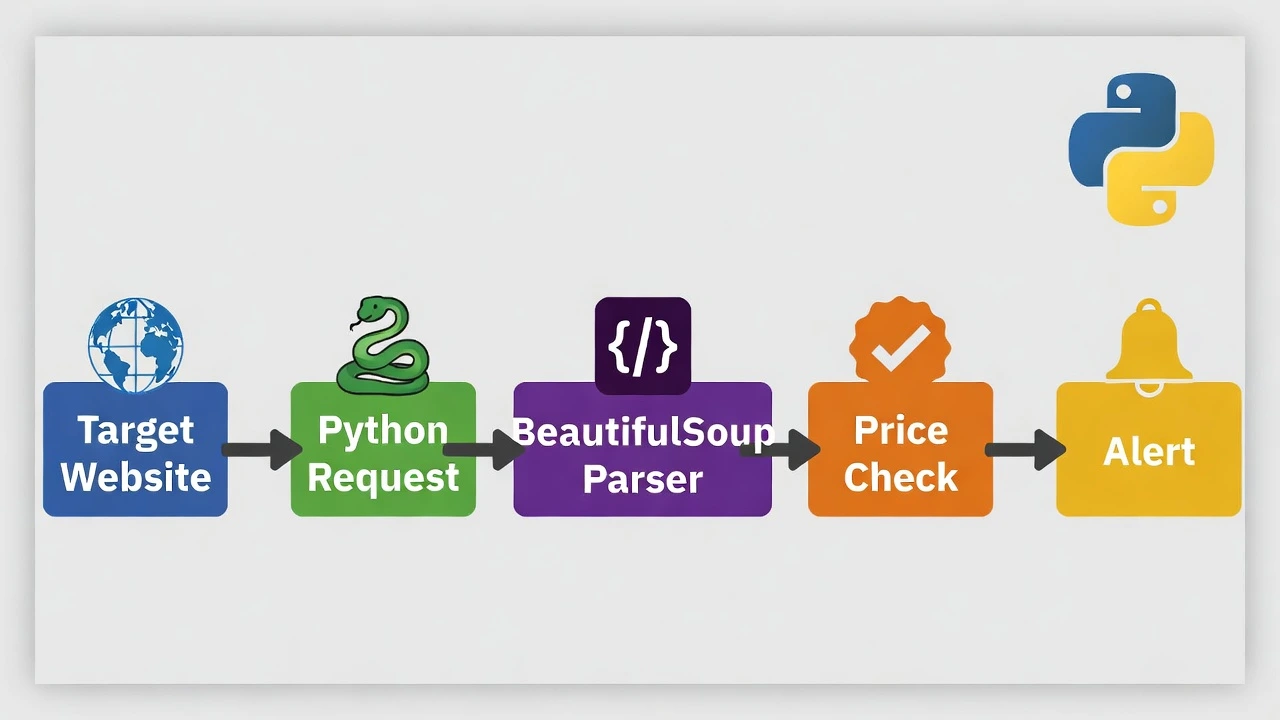
Now you have a full system: Scraper -> Logic -> Notification.
Conclusion
You have just built the engine that powers sites like CamelCamelCamel and Honey. Web scraping is a superpower, but remember: Be polite. Don’t request a page every second, or you will get banned.