
🚀 Quick Overview
- The Goal: Build a bot that replies to messages automatically.
- The Demand: Businesses pay $100+ for simple customer support bots.
- The Tech:
python-telegram-botlibrary. - Difficulty: Beginner.
Welcome to Freelance February on LogicPy.
So far, we have built cool apps for ourselves. Now, we are going to build tools that other people want to buy. One of the most requested services on freelance sites like Upwork is “I need a Telegram Bot.”
Why? Because businesses use Telegram to manage communities, send alerts, and handle customer support. Today, you will build a bot that can do all of that.
Step 1: Get Your API Token (BotFather)
Before writing code, we need to register our bot with Telegram. This is done inside the Telegram app itself.
- Open Telegram and search for @BotFather. (This is the official bot manager).
- Send the message:
/newbot. - Follow the instructions to name your bot (e.g.,
LogicPy_Test_Bot). - Copy the HTTP API Token. It looks like:
123456:ABC-DEF1234ghIkl-zyx57W2v1u123ew11.
Step 2: The Setup
We will use the official wrapper for the Telegram API. Open your terminal:
pip install python-telegram-botStep 3: The Code
Create a file named my_bot.py. We will write a script that listens for the command /start and replies to the user.
from telegram import Update
from telegram.ext import ApplicationBuilder, CommandHandler, ContextTypes

# --- CONFIGURATION ---
TOKEN = "YOUR_API_TOKEN_HERE"  # Paste the key from BotFather
# ---------------------

async def start(update: Update, context: ContextTypes.DEFAULT_TYPE):
    """
    This function runs when the user types /start
    """
    user_name = update.effective_user.first_name
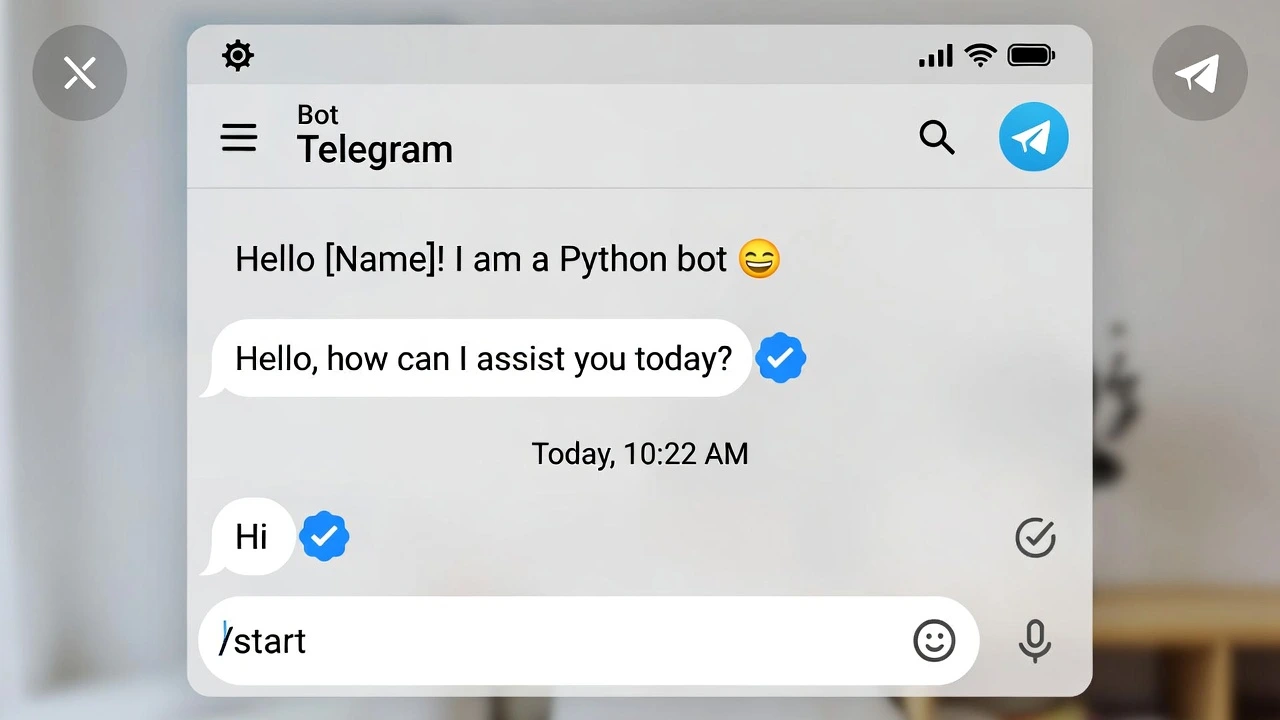
    await update.message.reply_text(f"Hello {user_name}! I am a Python bot 🐍")

async def help_command(update: Update, context: ContextTypes.DEFAULT_TYPE):
    """
    This runs when the user types /help
    """
    await update.message.reply_text("I can help you manage your groups! (Just kidding, I'm new here).")

if __name__ == '__main__':
    # 1. Build the Application
    app = ApplicationBuilder().token(TOKEN).build()

    # 2. Add Handlers (Connect commands to functions)
    app.add_handler(CommandHandler("start", start))
    app.add_handler(CommandHandler("help", help_command))

    # 3. Run the Bot
    print("Bot is running...")
app.run_polling()Step 4: Testing It Out
Run the script in your terminal:
python my_bot.pyNow, open Telegram, find your bot, and type /start. It should reply instantly!
How to Sell This Skill
Now that you have the basics, here are three types of bots you can build and sell:
- The “Welcomer”: A bot that automatically welcomes new members to a group chat.
- The “Alerter”: Combine this with your Crypto Tracker to send price alerts to a channel.
- The “Support”: A bot that answers Frequently Asked Questions (FAQ) for online stores.
Conclusion
You have just built an interactive application that lives on millions of devices. In the next post, we will look at how to deploy this so it runs 24/7, even when your computer is off.