
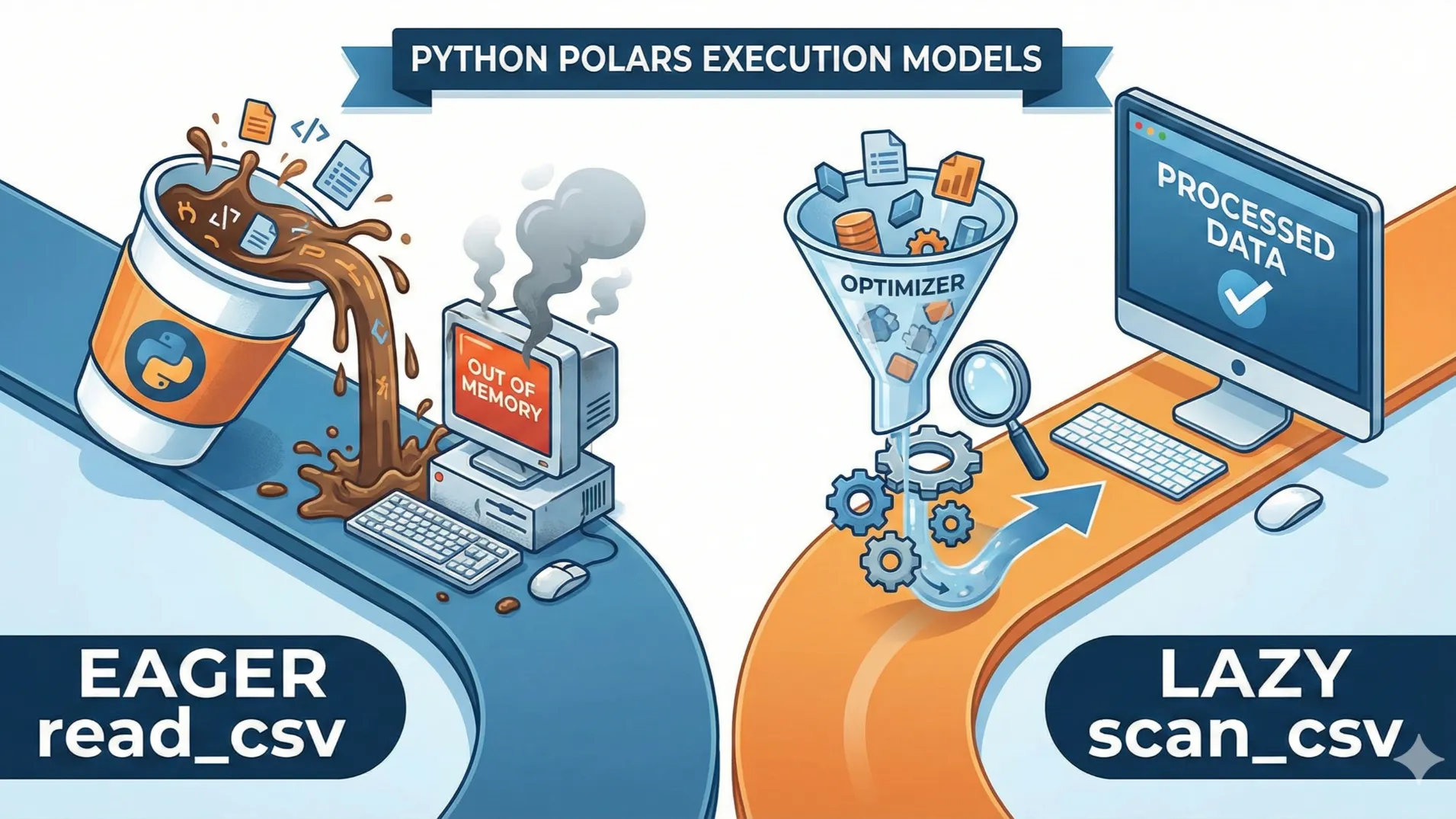
The core Python Polars read_csv vs scan_csv difference lies in their execution models. While read_csv performs eager execution by loading the entire dataset into memory immediately, scan_csv utilizes lazy execution.
This means scan_csv creates an optimized query plan and only processes data when strictly necessary, making it superior for handling large datasets that exceed system RAM.
Overview:
- Execution Model:
read_csvis eager (immediate), whilescan_csvis lazy (delayed). - Memory Footprint:
scan_csvprevents memory overflows on large datasets. - Optimization: Lazy execution allows for query planning and filtering before loading data.
- Return Types: One gives you a DataFrame, the other a LazyFrame requiring collection.
- Best Use Cases: We help you decide which function fits your specific project needs.
Also Read: Polars Lazy Evaluation Explained for Beginners: 5 Best Ways to Boost Speed
The Fundamental Concept: Eager vs. Lazy Execution
When you start typing your code, the Python Polars read_csv vs scan_csv difference might seem trivial. After all, they both get data from a file, right?
However, the distinction lies in when the work happens. Think of read_csv like walking into a coffee shop and ordering a latte immediately. You pay, you wait, and you get the cup right there.
This is “eager execution.” The computer reads the file line by line and loads it all into your RAM right now. It is simple, direct, and familiar.
On the other hand, scan_csv is like placing a mobile order for pickup later. You tell the app what you want, but the barista doesn’t start making it until you are actually close to the store.
This is “lazy execution.” Polars looks at your file but doesn’t load the data yet. Instead, it builds a plan. It waits to see if you are going to filter the data or select specific columns later in your code.
This architectural split is the core of the Python Polars read_csv vs scan_csv difference.
Memory Usage: The Safety Net for Big Data
One of the most painful experiences for a beginner data scientist is the dreaded “Out of Memory” error. Your screen freezes, the fan spins up, and your script crashes.
This usually happens because you tried to load a 10GB file into a machine with only 8GB of RAM.
This is where the Python Polars read_csv vs scan_csv difference becomes a lifesaver. If you use read_csv, Polars attempts to fit the entire dataset into memory at once.
If the dataset is larger than your available RAM, you are out of luck.
But scan_csv works differently. Because it operates lazily, it can stream the data. It processes the file in chunks, doing the necessary calculations on small pieces of data before discarding them and moving to the next chunk.
This allows you to process datasets that are significantly larger than your computer’s RAM. For many users, this memory efficiency is the most practical reason to care about the Python Polars read_csv vs scan_csv difference.
The Power of Query Optimization
Have you ever cleaned your room by picking up one item at a time, walking it to the trash, and then coming back for the next? That is inefficient.
It is much faster to scan the room, gather all the trash at once, and make a single trip.
scan_csv brings this level of intelligence to your code. When you use lazy execution, Polars doesn’t just execute commands blindly. It looks at your entire query as a whole.
If you tell it to scan a file but then immediately filter for “Year = 2025,” Polars is smart enough to combine those steps.
It will only read the rows where the year is 2025, skipping the rest of the file entirely. This is called “predicate pushdown.” read_csv cannot do this effectively because it has already loaded everything before you even asked for the filter.
This optimization capability significantly widens the performance gap in the Python Polars read_csv vs scan_csv difference debate.
Quick Comparison of Execution Modes
| Feature | read_csv (Eager) | scan_csv (Lazy) |
|---|---|---|
| Execution Time | Immediate | Delayed until .collect() |
| Memory Usage | High (Full Dataset) | Low (Optimized/Streaming) |
| Return Object | DataFrame | LazyFrame |
| Query Optimization | None | Predicate & Projection Pushdown |
Return Types: DataFrame vs. LazyFrame
For beginners, the most confusing part of the Python Polars read_csv vs scan_csv difference is often the output. You might run a scan_csv command, try to print the result, and see something cryptic instead of your data table.
That is because read_csv returns a DataFrame. This is the actual data, sitting in memory, ready to be viewed, touched, and modified. It is concrete.
scan_csv returns a LazyFrame. A LazyFrame is essentially a promise. It holds the instructions for how to get the data, but it doesn’t hold the data itself.
To turn a LazyFrame into a DataFrame, you must call the .collect() method. This extra step tells Polars, “Okay, I’m done planning, now go execute everything.” forgetting this step is a rite of passage for every new Polars user.
When Should You Use Which?
After reading all this, you might feel like you should never use read_csv. But that isn’t true. The Python Polars read_csv vs scan_csv difference isn’t about one being “good” and the other “bad.” It is about the right tool for the job.
If you are exploring a small dataset, doing some quick debugging, or working in a Jupyter notebook where you need to see results instantly after every cell, read_csv is perfect. It is snappy and requires less typing. You don’t need to write .collect() every time you want to peek at the data.
However, if you are building a production pipeline, working with massive files, or need maximum performance, scan_csv is the mandatory choice.
The ability for the query optimizer to rearrange your operations for speed is too valuable to ignore. Understanding the nuance of the Python Polars read_csv vs scan_csv difference allows you to switch between these modes effortlessly.
Performance Behavior by Dataset Size
| Dataset Size | read_csv Behavior | scan_csv Behavior |
|---|---|---|
| Small (100MB) | Instant load, great for exploration. | Fast, but overhead of query planning might be overkill. |
| Medium (4GB) | Slower, consumes significant RAM. | Efficient, optimizes filters to read less data. |
| Huge (50GB+) | Likely crashes (OOM Error). | Streaming execution handles it smoothly. |
Interesting Facts About Polars Optimization
- Polars is written in Rust, which allows it to manage memory much more aggressively than standard Python libraries, amplifying the benefits of the Python Polars read_csv vs scan_csv difference.
- The query optimizer in Lazy mode can sometimes reorder your code. If you sort a dataset and then filter it, Polars might secretly filter it first to sort fewer items, saving time without you asking.
- Polars is one of the few DataFrame libraries that supports “out-of-core” processing seamlessly through its lazy API.
Frequently Asked Questions
Why does my scan_csv code not output any data?
This is the most common stumbling block beginners face. When you use scan_csv, you are working with a LazyFrame. The code hasn’t actually run yet; it has just recorded your intentions.
To trigger the execution and actually see your results, you must append the .collect() method to the end of your query chain. Without this, Polars assumes you are still building your query plan.
This behavior is a fundamental part of the Python Polars read_csv vs scan_csv difference.
Can I mix eager and lazy operations in Polars?
Yes, you can, but it requires intention. You can start with a LazyFrame using scan_csv, perform several optimized operations, collect it into a DataFrame, and then do eager operations.
However, once you call .collect(), you lose the benefits of lazy optimization for subsequent steps. It is generally best to stay in lazy mode for as long as possible to let the optimizer do its work on the largest possible chunk of the logic.
Is scan_csv always faster than read_csv for every file size?
Not necessarily. For very tiny files (like a few kilobytes or megabytes), the overhead of creating a query plan and setting up the lazy execution engine might take slightly longer than just brute-force reading the file into memory.
However, this difference is usually negligible in human time (milliseconds). The real value of understanding the Python Polars read_csv vs scan_csv difference appears as data scales up.
How do I convert a LazyFrame back to a normal DataFrame?
The conversion is simple and is done using the .collect() method. If you have a variable lf which is a LazyFrame, running df = lf.collect() will execute the plan and store the resulting concrete data in df.
Conversely, you can turn an existing DataFrame into a LazyFrame by calling .lazy() on it, allowing you to restart an optimized query chain.
Does the Python Polars read_csv vs scan_csv difference matter for small CSV files?
Technically, no. If your CSV is 50 rows, both functions will appear to work instantaneously. However, it matters for habit building.
Getting used to the lazy API (scan_csv) is good practice because it prepares you for the day when your data inevitably grows. Treating every dataset as if it could be massive is a good discipline in data engineering.
Key Takeaways
- The core Python Polars read_csv vs scan_csv difference is that
read_csvloads data immediately (eager), whilescan_csvdelays loading until necessary (lazy). scan_csvallows for powerful optimizations like predicate pushdown, where rows are filtered before they are even fully read into memory.- For datasets larger than your RAM,
scan_csvis essential as it supports streaming execution to prevent crashes. read_csvreturns a usable DataFrame instantly, whereasscan_csvreturns a LazyFrame that requires a.collect()call.- Use
read_csvfor quick debugging of small files, but default toscan_csvfor robust data pipelines.
Did this guide clarify the confusion? If you have more questions about how to optimize your Polars workflows, share your thoughts in the comments below!
How often do you find yourself running out of memory with standard Pandas or eager loading? Do you think the shift to lazy execution is the future of Python data science?
For deeper technical details, you can visit the Official Polars Documentation or learn about the backend technology at Apache Arrow.