

🚀 Quick Overview
- The Goal: Detect human faces in live video.
- The Tech: OpenCV (Open Source Computer Vision Library).
- The Secret: Haar Cascade Classifiers (Pre-trained models).
- Difficulty: Beginner (No Math required).
How does Snapchat know where to put the dog ears on your face? How does your iPhone know to focus on your smile?
The answer is Computer Vision.
Most beginners think you need a PhD in Math or a Supercomputer to do this. You don’t. Today, we are going to write a Python script that turns your webcam into a face-tracking machine. And we will do it in less than 5 minutes.
Step 1: The Setup
We need the OpenCV library. It is the industry standard for image processing.
pip install opencv-pythonStep 2: Understanding “Haar Cascades”
We aren’t going to train a complex AI model from scratch (that takes days). Instead, we will use a Haar Cascade.
Think of a Haar Cascade as a “template” that knows what a face looks like (two eyes, a nose bridge, cheeks). It scans the image looking for these patterns.
(We will download this pre-trained file in the code below).
Step 3: The Code
Create a file named face_detect.py. We will connect to your webcam, read the video frame-by-frame, and draw a green box around any face we see.
import cv2

# 1. Load the pre-trained face data (Haar Cascade)
# OpenCV comes with this file built-in
face_cascade = cv2.CascadeClassifier(
    cv2.data.haarcascades + 'haarcascade_frontalface_default.xml'
)

# 2. Connect to the Webcam (0 is usually the default camera)
cap = cv2.VideoCapture(0)

print("Starting Camera... Press 'q' to quit.")

while True:
    # 3. Read the frame
    ret, frame = cap.read()
    if not ret:
        break

    # 4. Convert to Grayscale (Face detection works better in black & white)
    gray = cv2.cvtColor(frame, cv2.COLOR_BGR2GRAY)

    # 5. Detect Faces
    # scaleFactor=1.1: scanes image at 10% larger intervals
    # minNeighbors=5: Higher quality, fewer false positives
    faces = face_cascade.detectMultiScale(gray, scaleFactor=1.1, minNeighbors=5)

    # 6. Draw the Rectangle
    for (x, y, w, h) in faces:
        # Arguments: image, start_point, end_point, color (Green), thickness
        cv2.rectangle(frame, (x, y), (x+w, y+h), (0, 255, 0), 2)

        # Optional: Add a label
        cv2.putText(frame, "Human", (x, y-10), cv2.FONT_HERSHEY_SIMPLEX, 0.9, (0, 255, 0), 2)

    # 7. Show the video
    cv2.imshow('LogicPy Face Detector', frame)

    # Quit if 'q' is pressed
    if cv2.waitKey(1) & 0xFF == ord('q'):
        break

# Cleanup
cap.release()
cv2.destroyAllWindows()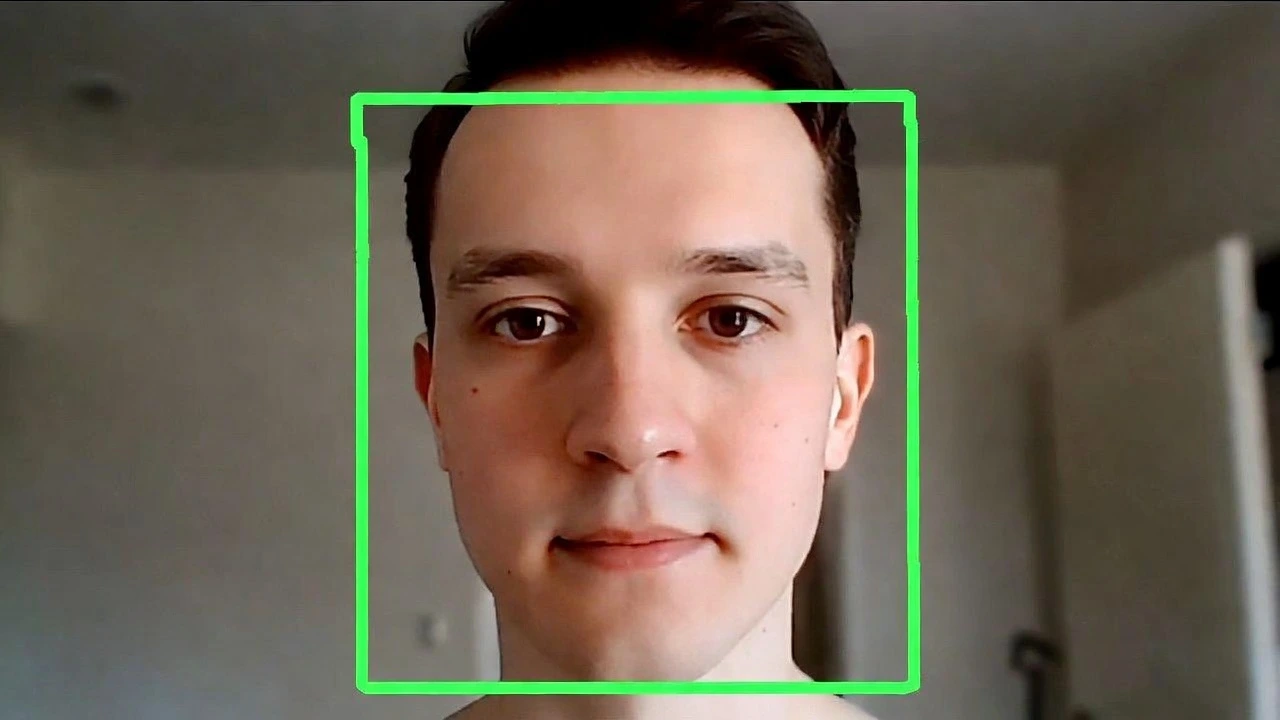
Common Issues & Fixes
- Camera not opening? Change
cv2.VideoCapture(0)to1or2if you have multiple cameras. - False Positives? If it detects a “face” in your curtains, increase
minNeighborsto 7 or 8. - Mac Users: You may need to grant Terminal permission to access the Camera in System Settings.
Conclusion
Congratulations! You just built your first Computer Vision app. You are no longer just processing text and numbers—you are processing the real world.
Next Steps: Can you modify this to detect Eyes instead of faces? (Hint: Replace haarcascade_frontalface_default.xml with haarcascade_eye.xml).