

🚀 Quick Overview
- The Goal: Build a web server that replies with JSON data.
- The Tool: FastAPI (The modern standard for Python APIs).
- The “Magic”: It creates its own documentation page automatically.
- Time: 15 Minutes.
Last week, we built a Weather App that fetched data from the internet. You were the Client (the customer).
Today, we flip the script. You are going to become the Server (the chef).
We are going to use FastAPI, a modern library that is taking the Python world by storm because it is fast, easy, and requires very little code.
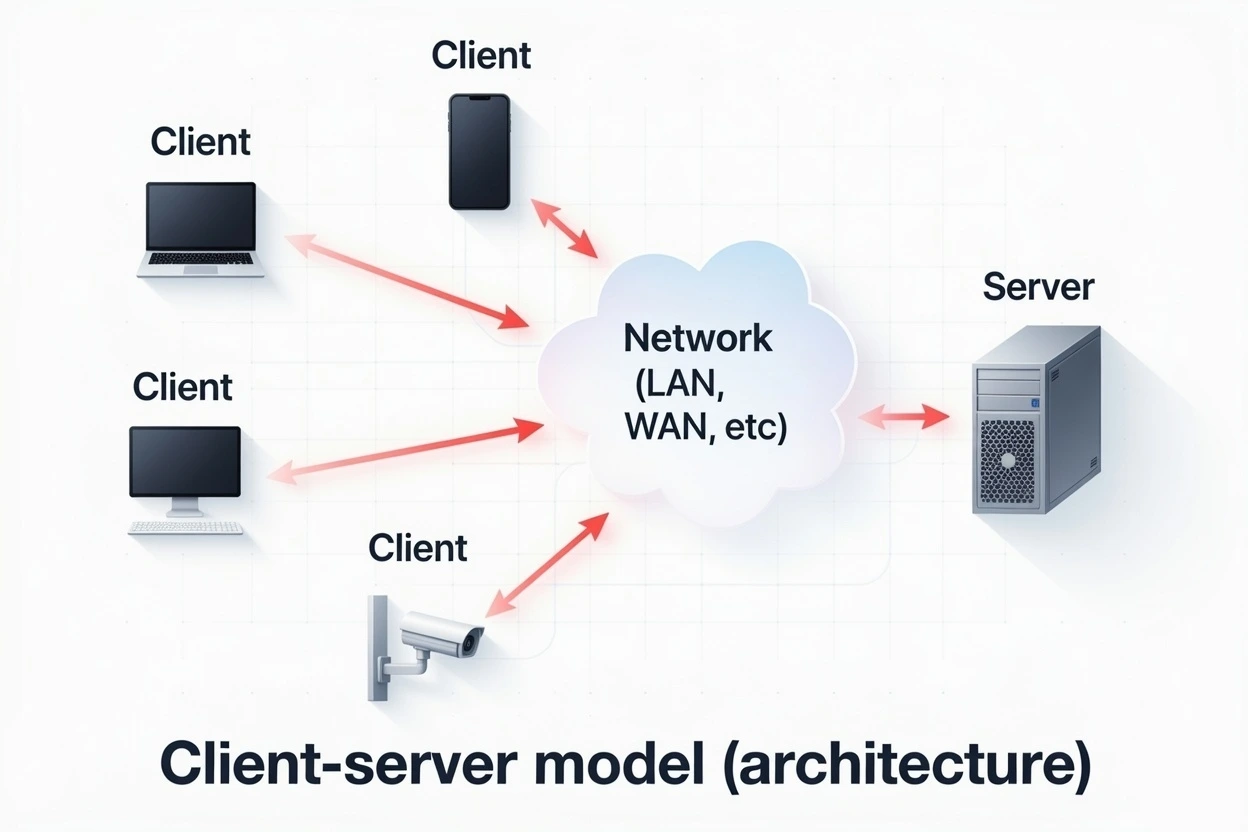
Step 1: Understanding “Client vs. Server”
Before we write code, let’s look at what we are actually building. An API is just a Python script that listens for requests.
Step 2: The Setup
We need FastAPI and a server tool called Uvicorn (which runs your app).
pip install fastapi uvicornStep 3: The “Hello World” API
Create a file named main.py. This is your backend application.
from fastapi import FastAPI

# 1. Create the App
app = FastAPI()

# 2. Create a Route (The "Menu Item")
# This tells the server: "If someone visits the homepage (/), do this."
@app.get("/")
def read_root():
    return {"message": "Hello! Welcome to your first API."}

# 3. Create a Data Route
@app.get("/items/{item_id}")
def read_item(item_id: int):
    return {"item_id": item_id, "name": "The LogicPy Gadget"}
Step 4: Running Your Server
This script won’t run with the normal python main.py command. We need Uvicorn to host it.
Open your terminal and type:
uvicorn main:app --reloadYou should see a message saying: Application startup complete.
Now, open your web browser and go to:
http://127.0.0.1:8000/-> You will see your “Hello” JSON message.http://127.0.0.1:8000/items/5-> You will see the item data.
Step 5: The “Magic” Documentation (Swagger UI)
This is why developers love FastAPI. It automatically generates an interactive documentation page for you.
Go to your browser and visit: http://127.0.0.1:8000/docs
You didn’t write a single line of HTML, but you now have a professional dashboard where you can test your API buttons.
Conclusion
You have just stepped into the world of Backend Engineering.
APIs are the backbone of the internet. Whether you are building mobile apps, websites, or AI tools, they all talk to each other using the exact code you just wrote.
Next Steps: Try adding a new route called /about that returns your name and bio!