🚀 Quick Overview
- The Problem: Paying $1 per minute to transcribe podcasts or client meetings is a massive waste of money.
- The Solution: Run an AI model locally on your own computer to transcribe unlimited audio for free.
- The Tech: Python and OpenAI’s open-source
Whispermodel. - Time to Build: 15 Minutes.
In this tutorial, you will learn how to convert audio to text offline using Python and OpenAI’s Whisper model, completely replacing expensive transcription subscriptions.
A few years ago, if a client handed me a 2-hour podcast and asked for a written summary or subtitles, I had to upload it to a paid service like Rev or Otter.ai. It cost a fortune, and I had to trust a third-party server with my client’s private audio data.
Then, OpenAI open-sourced Whisper. It is a state-of-the-art speech recognition system that is astonishingly accurate, understands multiple languages, and best of all: it runs entirely offline on your own machine. No API keys, no monthly fees, and no internet connection required once it’s set up.
Today, we are going to build a Python bot that reads an MP3 file and spits out a highly accurate text transcript in just a few lines of code. Let’s get to work.
Step 1: The Setup (The Hidden Requirement)
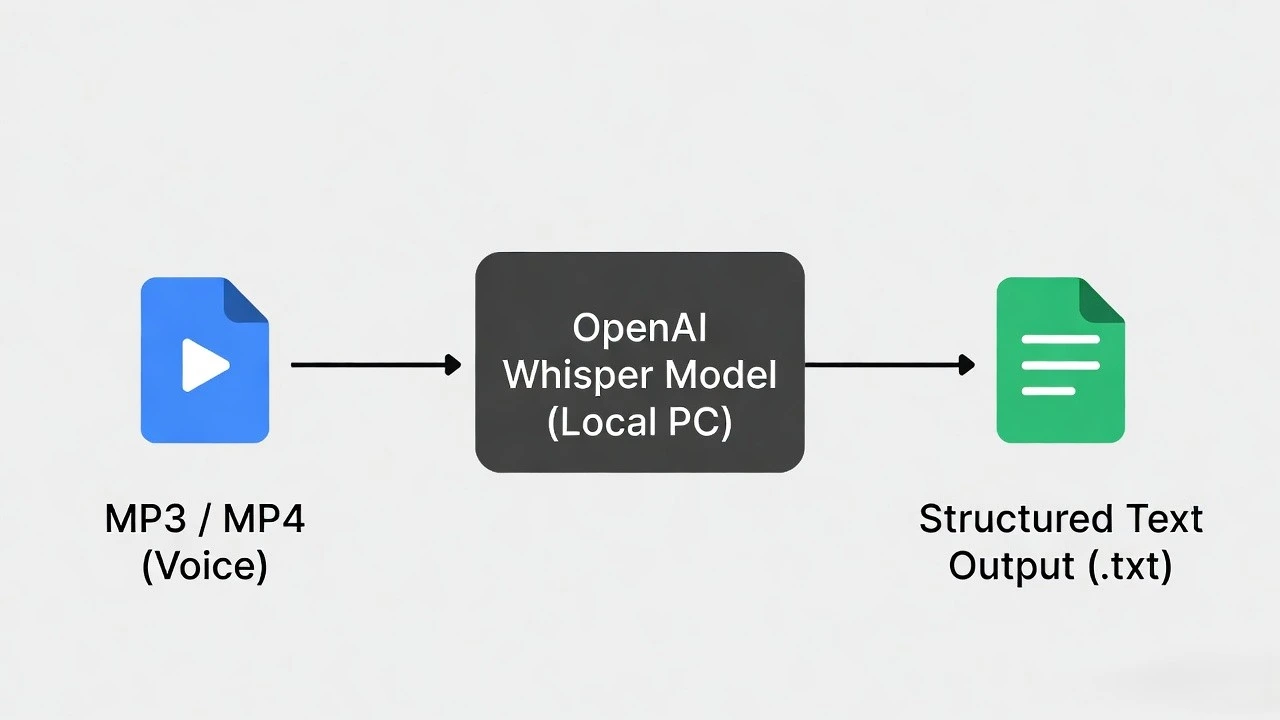
To process audio, Python needs a helper tool called ffmpeg installed on your actual computer (not just in Python). This is the engine that decodes the MP3 or MP4 files.
Windows: Open your terminal and type
winget install ffmpeg.Mac: Open your terminal and type
brew install ffmpeg.Linux:
sudo apt install ffmpeg.Once ffmpeg is installed, install the Whisper library and PyTorch using pip:
pip install -U openai-whisper setuptools-rustStep 2: The 5-Line Transcription Script
Grab an MP3 file (like a voice memo or a downloaded podcast) and put it in the same folder as your script. Name it test_audio.mp3.
Create a file named transcriber.py. We are going to load the “base” AI model, which is lightweight and runs quickly even on older laptops.
import whisper

# 1. Load the AI Brain
# The first time you run this, it will download the ~74MB 'base' model to your PC.
print("Loading Whisper AI...")
model = whisper.load_model("base")

# 2. Feed it the Audio
print("Listening to the audio file...")
result = model.transcribe("test_audio.mp3")

# 3. Print the Result
print("\n--- 📝 FINAL TRANSCRIPT ---")
print(result["text"])
Run the script. Whisper will analyze the audio file and print out the spoken text with shocking accuracy, including proper punctuation!
Step 3: Exporting for Clients (Saving to a Text File)
Printing to the terminal is cool, but freelance clients want files. Let’s upgrade our script to automatically save the transcript into a professional .txt file so you can attach it to an automated email.
import whisper

def transcribe_and_save(audio_file):
    print(f"Processing {audio_file}...")
    model = whisper.load_model("base")

    # Whisper can process audio or video files!
    result = model.transcribe(audio_file)
    transcript_text = result["text"]

    # Generate a smart file name based on the original audio file
    output_filename = audio_file.replace(".mp3", "_transcript.txt")

    # Save the text to the file
    with open(output_filename, "w", encoding="utf-8") as file:
        file.write(transcript_text)

    print(f"✅ Success! Saved to {output_filename}")

# Run the function
if __name__ == "__main__":
    transcribe_and_save("test_audio.mp3")
Real-World Freelance Value
This single script is a goldmine. Here is how you can monetize it right now:
- Student/Academic Hustle: Offer a service to transcribe 2-hour university lectures for classmates. What takes them 4 hours to type by hand takes your Python script 5 minutes.
- Content Creation: Use this text output to feed into a Hugging Face Summarizer to generate instant YouTube video descriptions or SEO blog posts from podcasts.
Conclusion
By running AI models locally, you bypass expensive API costs and keep your data 100% private. Next week, we will take this transcript and use Python to automatically dub it into a completely different language with AI voices!