🚀 Quick Overview
- The Problem: Getting raw video or audio files requires using sketchy downloader websites packed with pop-up ads and malware.
- The Solution: Write a Python script to securely download the exact video or audio stream you want directly from YouTube’s servers.
- The Tech: The
yt-dlplibrary. - Time to Build: 10 Minutes.
In this tutorial, you will learn how to automate YouTube video and audio downloads securely using Python and the industry-standard yt-dlp library.
If you are building an automated content business, you need raw materials. Whether you are downloading your own 3-hour Twitch streams to chop up, grabbing Creative Commons background footage, or archiving podcasts, you cannot rely on third-party “SaveFromNet” websites.
Those websites are slow, riddled with dangerous ads, and completely break your automation pipeline. If you want to build professional software, you need to pull the data programmatically.
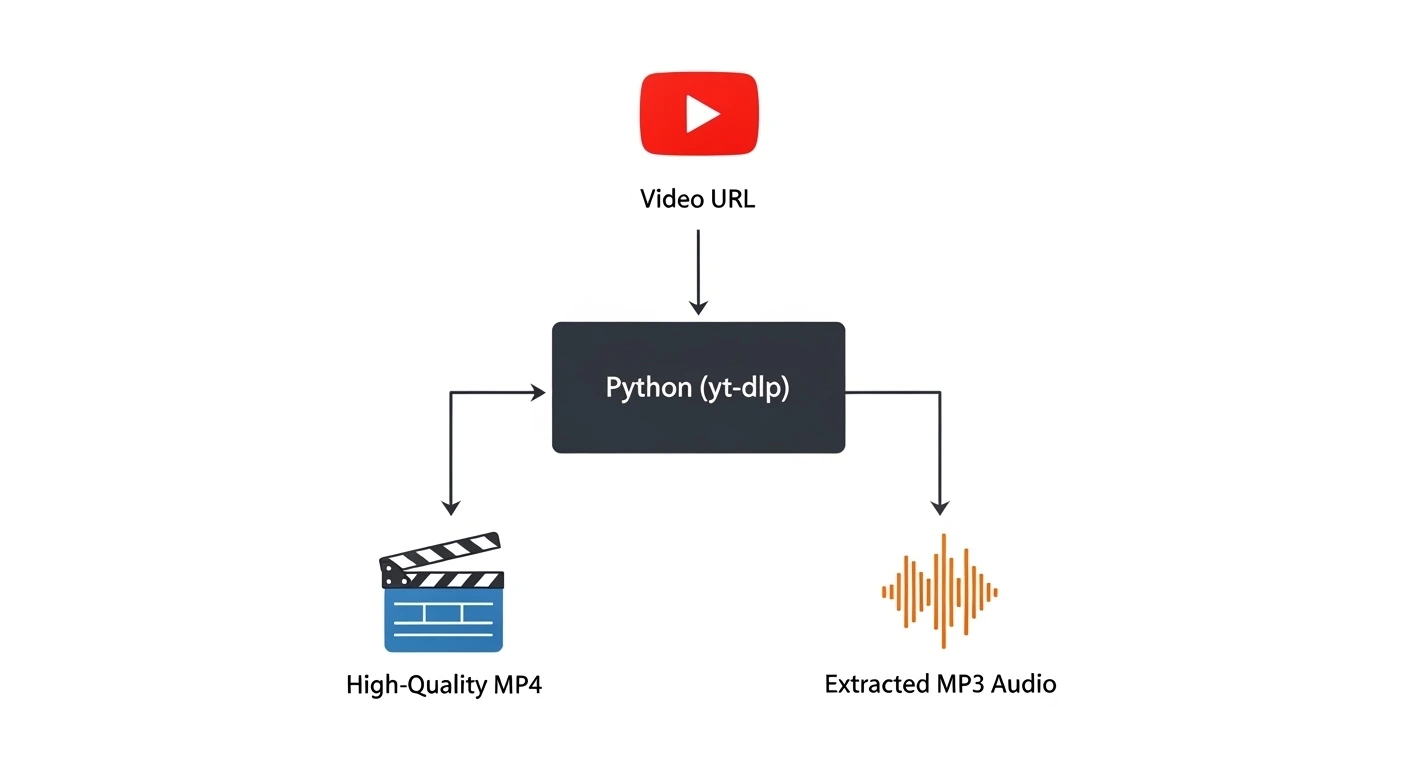
Today, we are replacing those websites entirely. We will use a library called yt-dlp. It is the most powerful media downloader on the internet, completely open-source, and allows us to pull 4K video or crisp MP3 audio with just a few lines of Python.
Step 1: The Setup
Open your terminal and install the yt-dlp library.
pip install yt-dlpyt-dlp relies on FFmpeg to merge high-quality video and audio tracks together. Ensure you have FFmpeg installed on your system!Step 2: Downloading High-Quality Video (MP4)
YouTube actually stores its highest quality video and audio as two separate files. If we want a crisp 1080p or 4K video, we have to tell yt-dlp to grab the best video, the best audio, and merge them.
Create a file named video_downloader.py:
import yt_dlp

# Replace this with the URL of the video you want to download
video_url = "https://www.youtube.com/watch?v=YOUR_VIDEO_ID"

print("1. Configuring download options...")
ydl_opts = {
    # Instructs yt-dlp to grab the best MP4 video and the best M4A audio
    'format': 'bestvideo[ext=mp4]+bestaudio[ext=m4a]/best[ext=mp4]/best',
    # Automatically names the file based on the YouTube title
    'outtmpl': '%(title)s.%(ext)s',
    'quiet': False # Set to True if you don't want to see the progress bar
}

print("2. Connecting to YouTube and downloading...")
with yt_dlp.YoutubeDL(ydl_opts) as ydl:
    ydl.download([video_url])

print("✅ Video download complete!")
Run the script. You will see a progress bar in your terminal, and within seconds, a perfectly named MP4 file will appear in your folder, completely free of watermarks or ads.
Step 3: Extracting Audio Only (The Podcast Hack)
Often, you don’t care about the video. If you are building an automated transcription service or an AI translation bot, you only want the MP3 audio file. Downloading a massive 4K video just to hear the audio is a massive waste of bandwidth.
Let’s create audio_downloader.py. We will use a “Post-Processor” to automatically rip the audio track and convert it to a crisp MP3.
import yt_dlp

audio_url = "https://www.youtube.com/watch?v=YOUR_VIDEO_ID"

print("1. Configuring audio extraction...")
ydl_opts = {
    # Only download the audio stream to save bandwidth
    'format': 'bestaudio/best',
    'postprocessors': [{
        'key': 'FFmpegExtractAudio',
        'preferredcodec': 'mp3',
        'preferredquality': '192', # High quality 192kbps
    }],
    # Append '_audio' to the file name so we don't overwrite videos
    'outtmpl': '%(title)s_audio.%(ext)s',
}

print("2. Ripping audio stream...")
with yt_dlp.YoutubeDL(ydl_opts) as ydl:
    ydl.download([audio_url])

print("✅ Audio extraction complete!")
Real-World Freelance Value
This script is the gateway to data collection. You now have the ability to feed raw internet data directly into your local Python environment.
If you combined this with the Email Automation script we wrote earlier, you could write a bot that runs every Monday, downloads your favorite podcast as an MP3, and emails it directly to your phone for offline listening.
Conclusion
You have officially broken free from browser-based limitations. You can now securely and programmatically acquire video and audio assets.
In our next and final tutorial, we are going to combine this downloader, our AI transcription bot, and our video editor to build the ultimate Automated Podcast Clipper Capstone Project!